Godot Launcher Project Status Icons
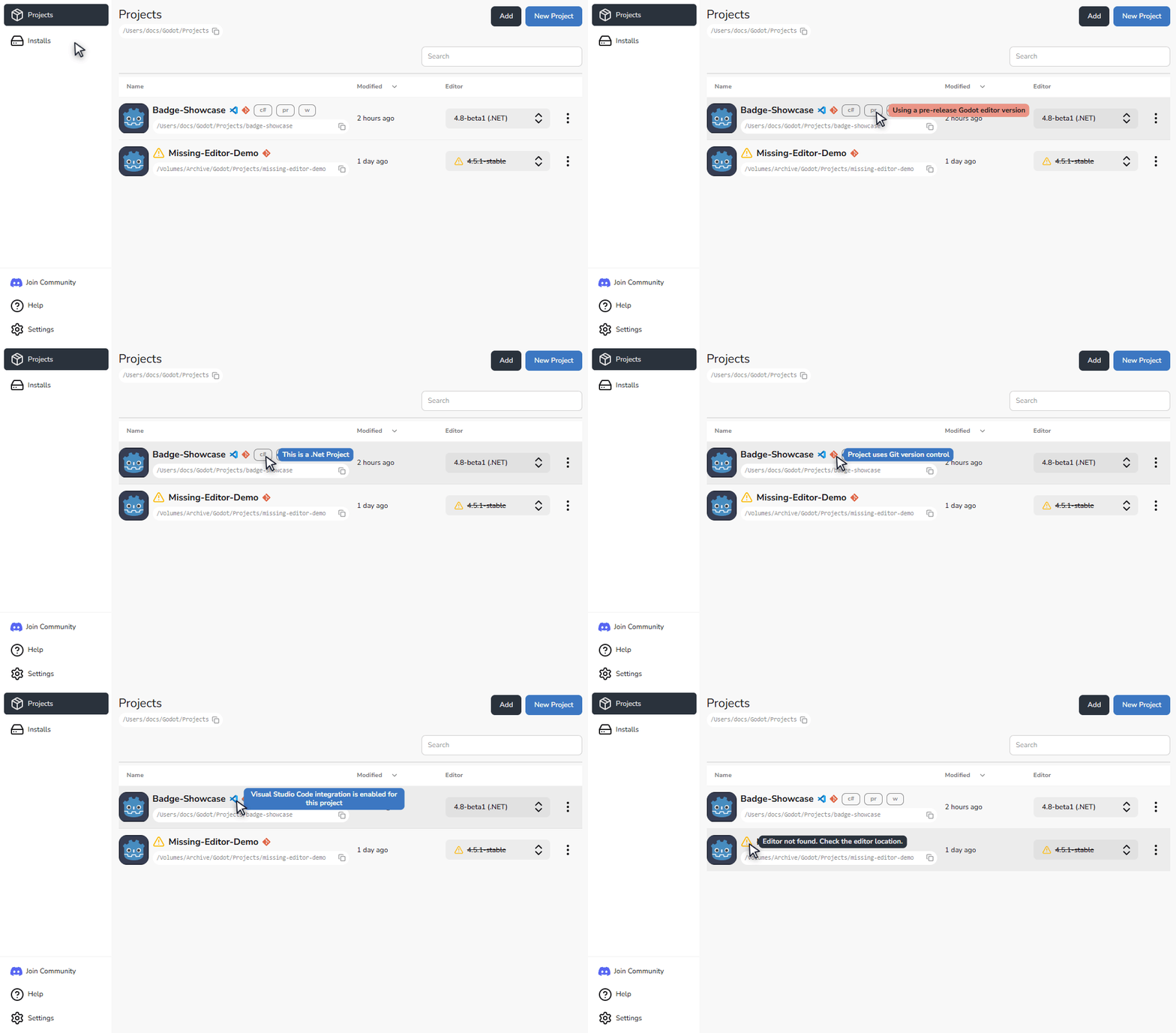
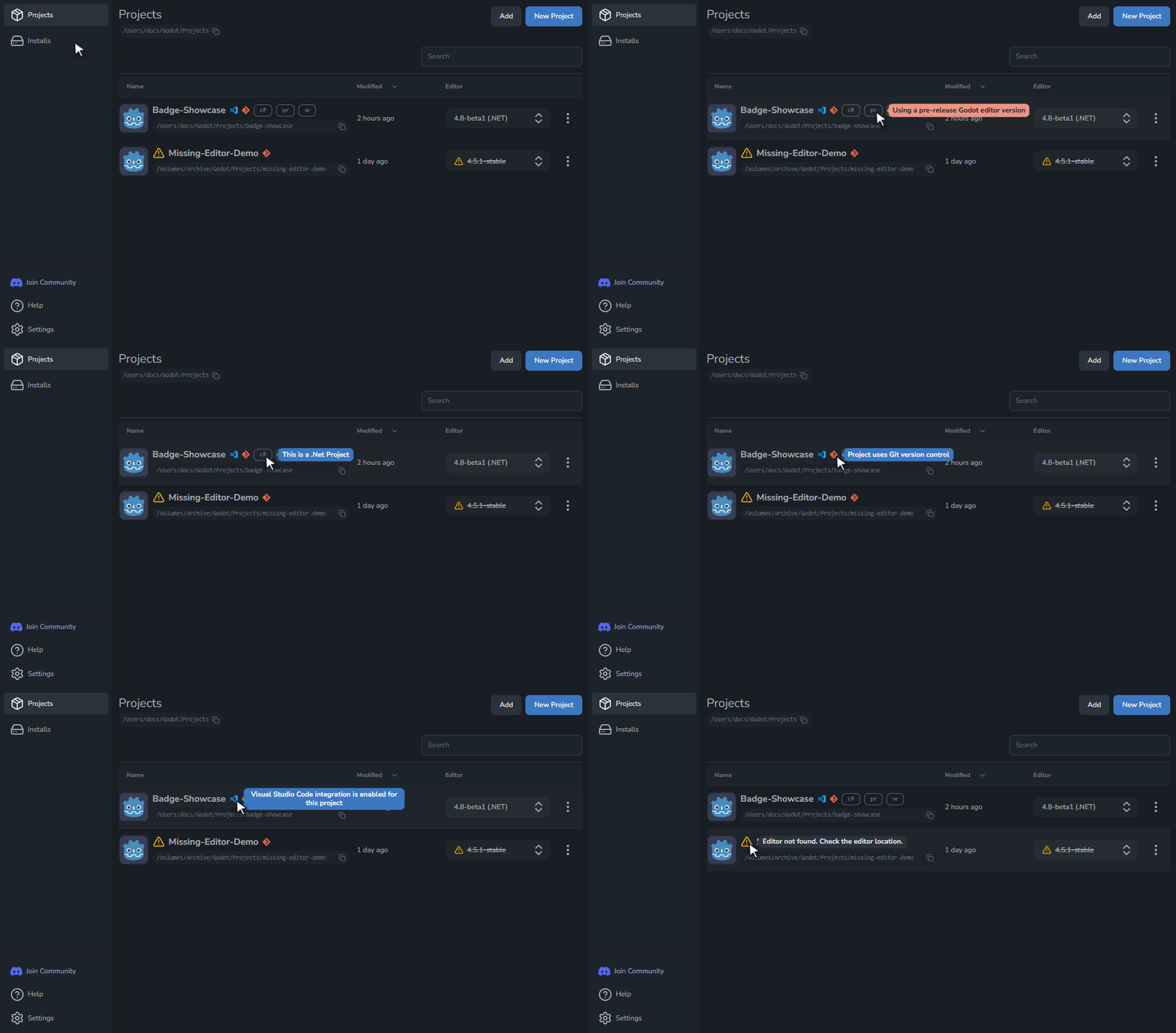
Godot Launcher shows each project's editor, tools, and launch options. Cards view uses labelled chips; Compact and List use smaller icons and version text. Hover or focus a status to read its description.
Godot editor
The Godot editor chip shows the selected editor version. List and Compact views show the version as text. In List view, a person icon marks a custom build, and a flask after the version marks a prerelease.
- .NET means the project uses a .NET Godot build.
- A flask icon marks an alpha, beta, release candidate, or other prerelease build.
- A warning icon means the selected Godot editor is unavailable.
A warning beside the project name means the project itself needs attention. Hover or focus it to see the reason.
Code editor
The code editor status identifies the selected editor. Cards show its name and icon; Compact and List show its icon. Visual Studio Code and VSCodium have different icons.
If the selected code editor is unavailable, a warning replaces its normal icon. You can still open the project in Godot, but scripts may not open in that code editor.
Git
The Git status means the project uses Git version control. The repository may be in the project folder or a parent folder. A recognised GitHub repository uses the GitHub name and icon instead.
Windowed mode
The Windowed status means Godot Launcher will request windowed mode for the Godot editor when it opens the project.
For warning and recovery steps, see Troubleshooting.