Godot Editor Settings per Project
Godot Launcher keeps separate Godot editor settings for each project. Changes made for one project do not affect another.
Import or export Godot editor settings
Use a project's more-actions menu in Projects to save or replace its Godot editor preferences.
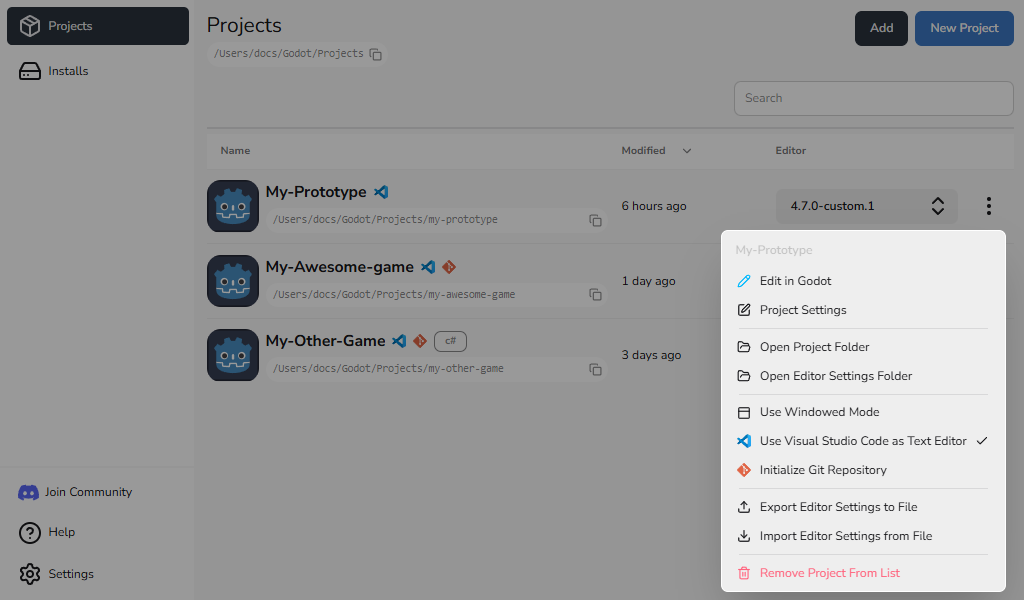
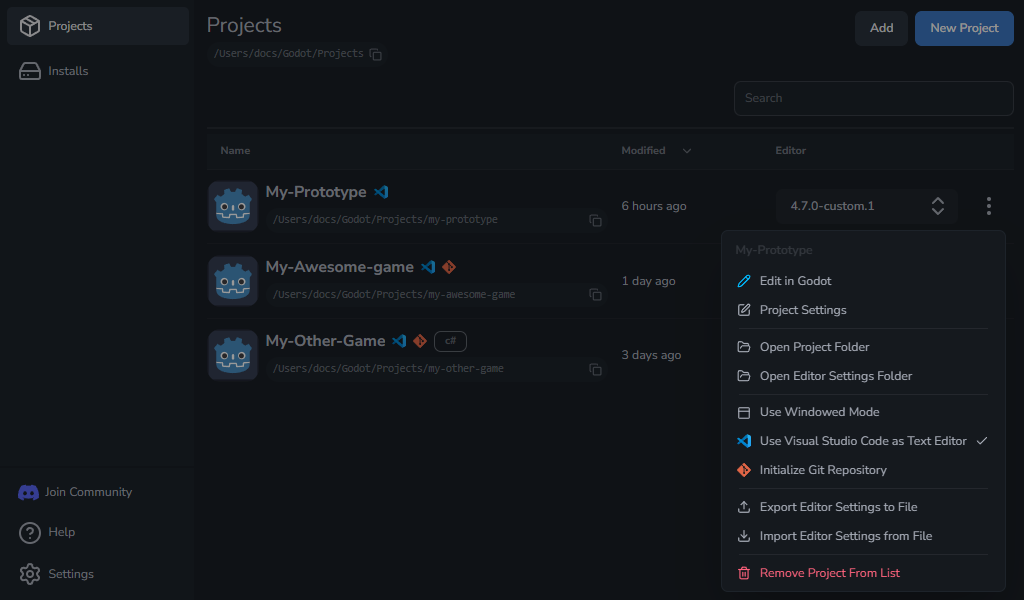
Export settings
- Open the project's more-actions menu.
- Select Export Editor Settings to File.
- Choose a destination and save the file.
The exported .tres file is a copy of that project's current editor settings.
Import settings
Importing replaces the project's current editor settings. If a settings file already exists, Godot Launcher saves a timestamped .bak copy beside it before replacement.
- Close the project's Godot editor before replacing its settings.
- Open the project's more-actions menu and select Import Editor Settings from File.
- Select Continue in the confirmation.
- Choose the
.tressettings file and open it. - Open the project in Godot to use the imported preferences.
Importing does not change the project's saved Godot or code editor choice. If scripts no longer open in the selected code editor, reapply its configuration.
Keep a selected code editor in sync
When you select Visual Studio Code or VSCodium in Project Settings, Godot opens scripts in that editor. The launcher also updates the files needed for the project.
Changing the Godot editor version updates this setup while keeping other supported settings.
Choose None if you no longer want the project to use a code editor. Existing .vscode files stay in the project folder.
Reapply code editor configuration
If Godot stops opening scripts in the selected code editor:
- Open the project's Project settings and select Code Editor.
- Select Reset config.
- Confirm with Reset config.
The launcher reapplies the selected code editor's project setup, including its Godot script editor settings and supported build and debug files. It does not reset unrelated Godot preferences or change global Code Editor Settings. If the reset fails, check that the selected code editor is available; see code editor troubleshooting.
Where editor settings are stored
Settings stay outside the project folder, under the configured editor install location:
<editor-install-location>/.editor_config/<project-editor-folder>/editor_data/
Godot 4.3 and later use editor_settings-<major.minor>.tres; for example, Godot 4.4 and 4.4.1 use editor_settings-4.4.tres. Godot 4.0 to 4.2 use editor_settings-4.tres. See Storage Paths and Files for default locations.
Export templates are shared separately. Sharing templates does not share these editor preferences.