Git and Terminal Settings
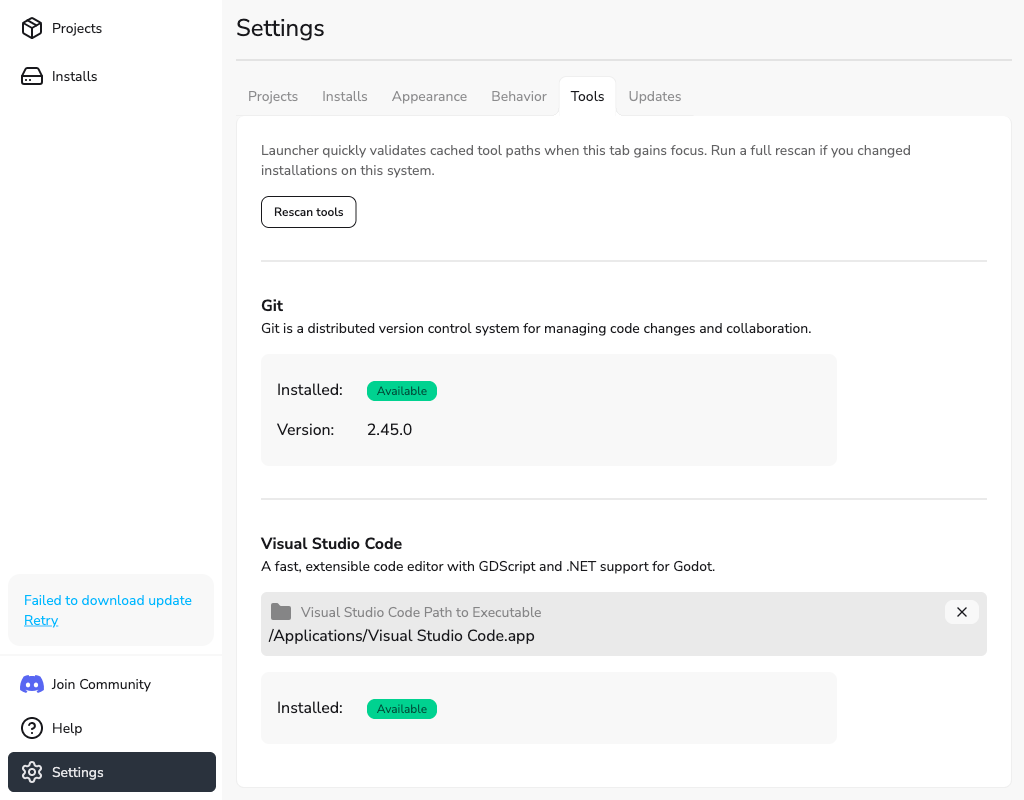
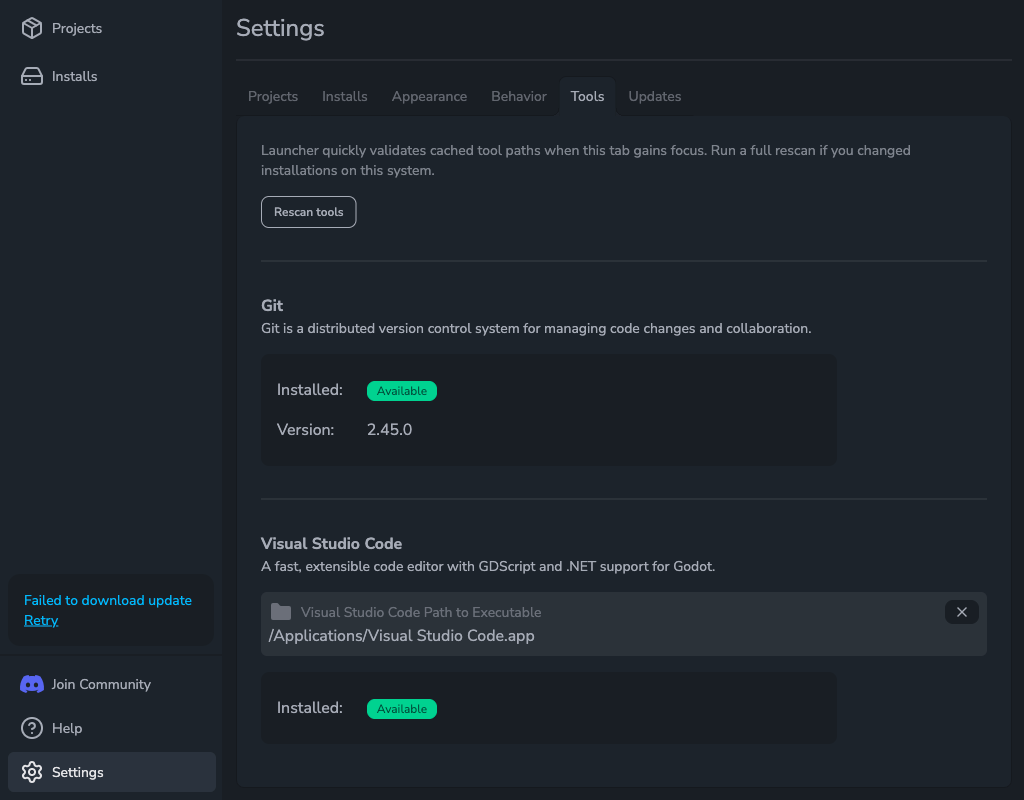
Open Settings > Tools to check Git and Git LFS, choose a terminal for project folders, and manage Git identity settings. Each tool shows whether it is available. Git and Git LFS also show their executable path and version.
Check Git
Git is ready to use when its status is Available. Godot Launcher uses it to create and import repositories and show Git status on project cards.
If Git is Not found or its path is unavailable, install Git or restore the installation, then select Rescan Git beside it. Godot Launcher does not install or update Git.
See Git setup for Godot projects for new and existing repositories.
Check Git LFS
Git LFS must also be Available before you can select Use Git LFS for a new project. Install it separately from the Git LFS project or through your operating system, then select Rescan Git LFS.
Both Git and Git LFS are required. See Track large assets with Git LFS for the file types and repository limits that apply.
Rescan tools
Select the rescan button beside a tool after installing, moving, or updating it. Use the tool's edit button to inspect its settings. The Git and Git LFS drawers show the detected executable path and version.
Set up Terminal
- Open Settings > Tools and select Edit Terminal.
- Enable Enable terminal for project folders.
- Under Terminal application, choose Automatic or a detected terminal by name.
You can now use Open Terminal Here from a project's actions to open its folder in that terminal. Changes apply immediately, and the terminal selection is saved separately for each operating system.
Automatic chooses a detected terminal. The supported installations are:
| Operating system | Terminals |
|---|---|
| Windows | Windows Terminal and Command Prompt |
| macOS | Terminal.app |
| Linux | GNOME Terminal, Konsole, Foot, Alacritty, Ghostty, and Kitty |
Windows Terminal uses its configured default profile. PowerShell is not a separately detected terminal. Detection checks supported system locations; custom terminal paths and commands are not supported.
On Linux, this selection also controls the terminal used by Launch in terminal. The Enable terminal for project folders switch controls Open Terminal Here and can remain off when launching Godot in a terminal.
See Launch Godot in a Terminal to enable that option for a project.
If a terminal is unavailable
Select Rescan after installing or changing a supported terminal. If none is detected, check that it is installed in a supported system location. If your saved terminal is no longer available, choose Automatic or another detected terminal.
Reset unsupported terminal settings
If a warning says that saved terminal settings use an unsupported format:
- Select Open terminal settings in the warning.
- Select Reset terminal settings.
- Confirm with Reset settings.
This removes saved terminal choices and custom terminal settings for all operating systems and restores Automatic selection. It preserves the terminal enable switch and other tool settings.
Manage Git identities
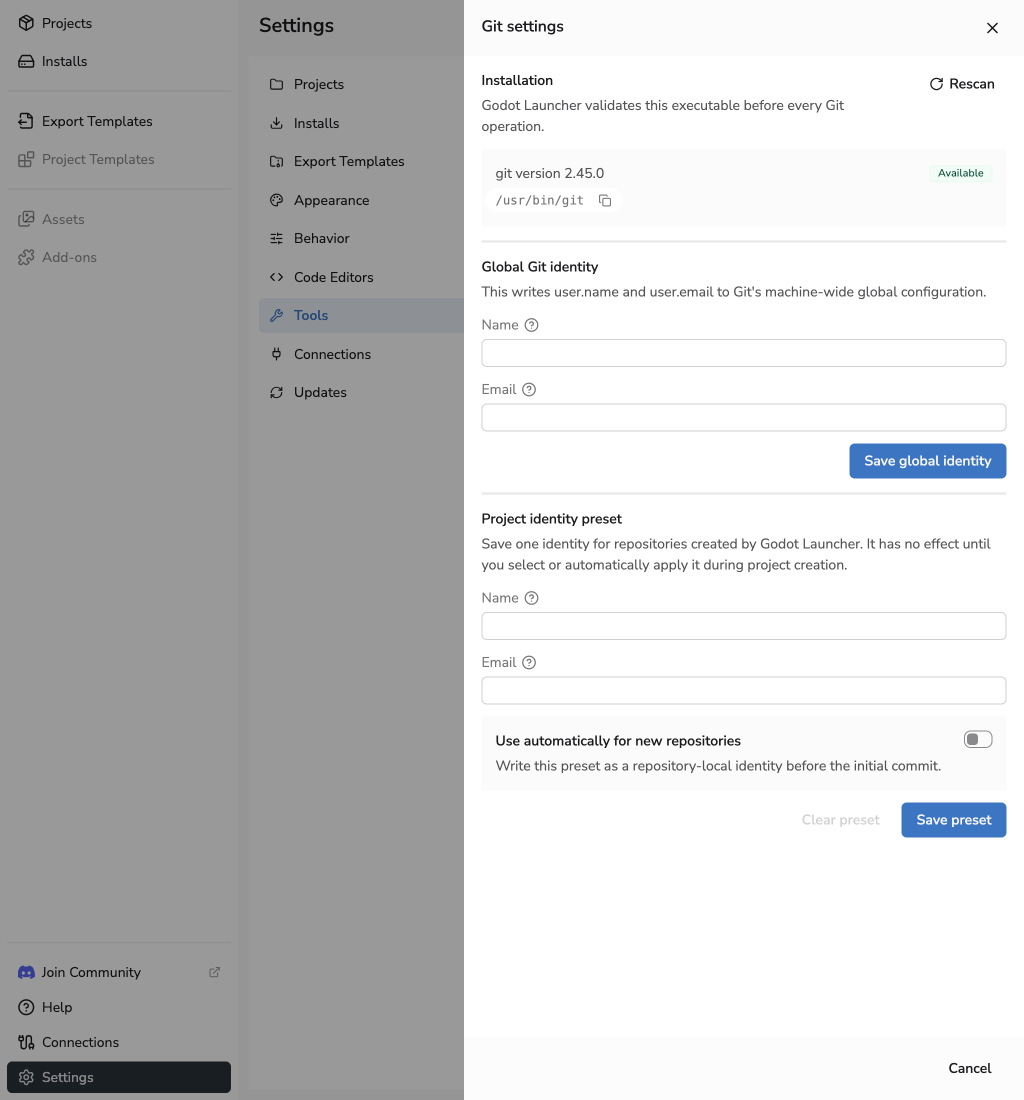
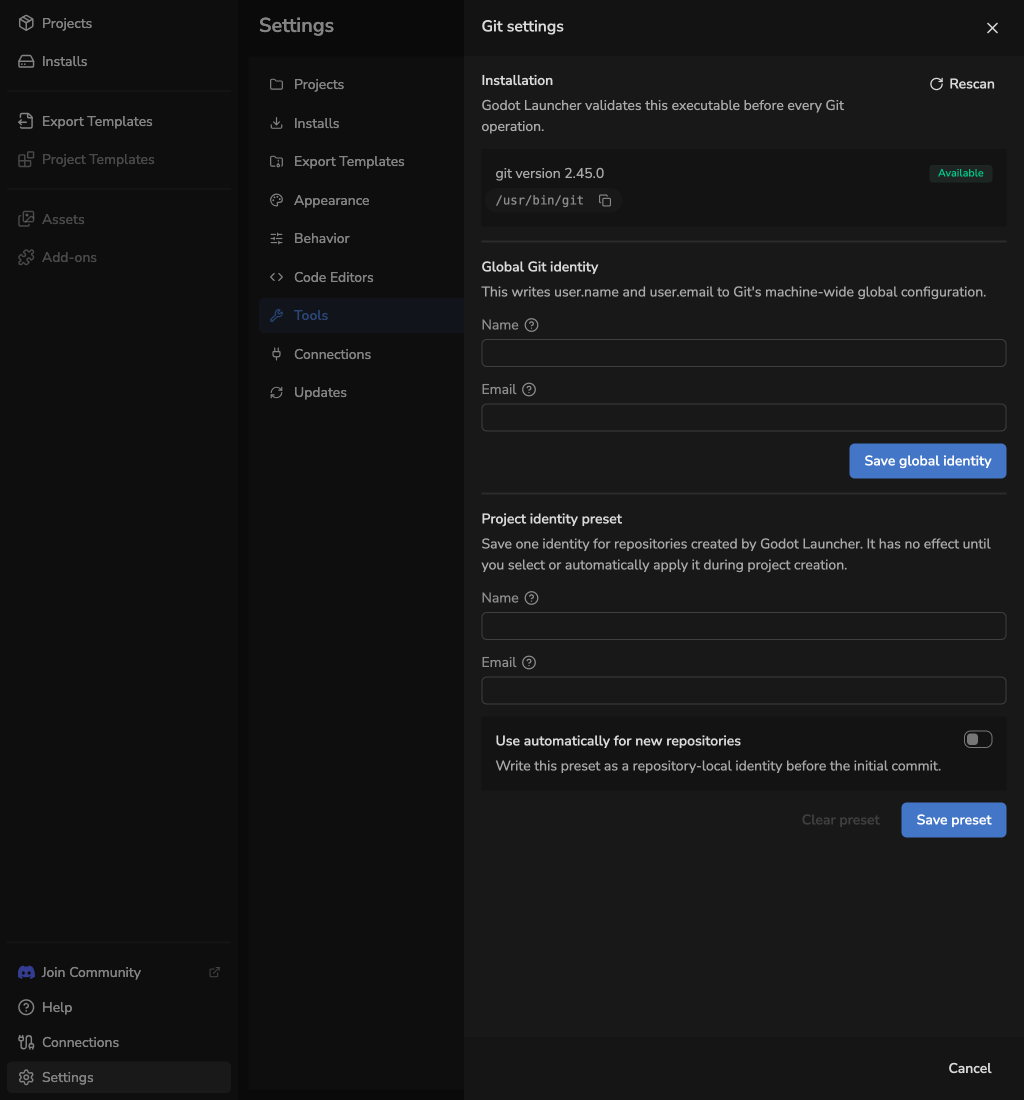
Open Settings > Tools and select Edit Git. You can edit Git's global identity or save a project identity preset. See Choose a Git identity for how each affects commits.
To change the global identity:
- Enter Name and Email under Global Git identity.
- Select Save global identity.
To save a project identity preset:
- Enter Name and Email under Project identity preset.
- Enable Use automatically for new repositories to apply it without another identity prompt, or leave it off to review the preset during project creation.
- Select Save preset.
Select Clear preset to remove the saved preset. You can edit the preset while Git is unavailable; global identity controls require an available Git installation.
For code editor detection and custom executable paths, use Code Editor Settings. If Git remains unavailable, see Troubleshooting.