Tool Settings
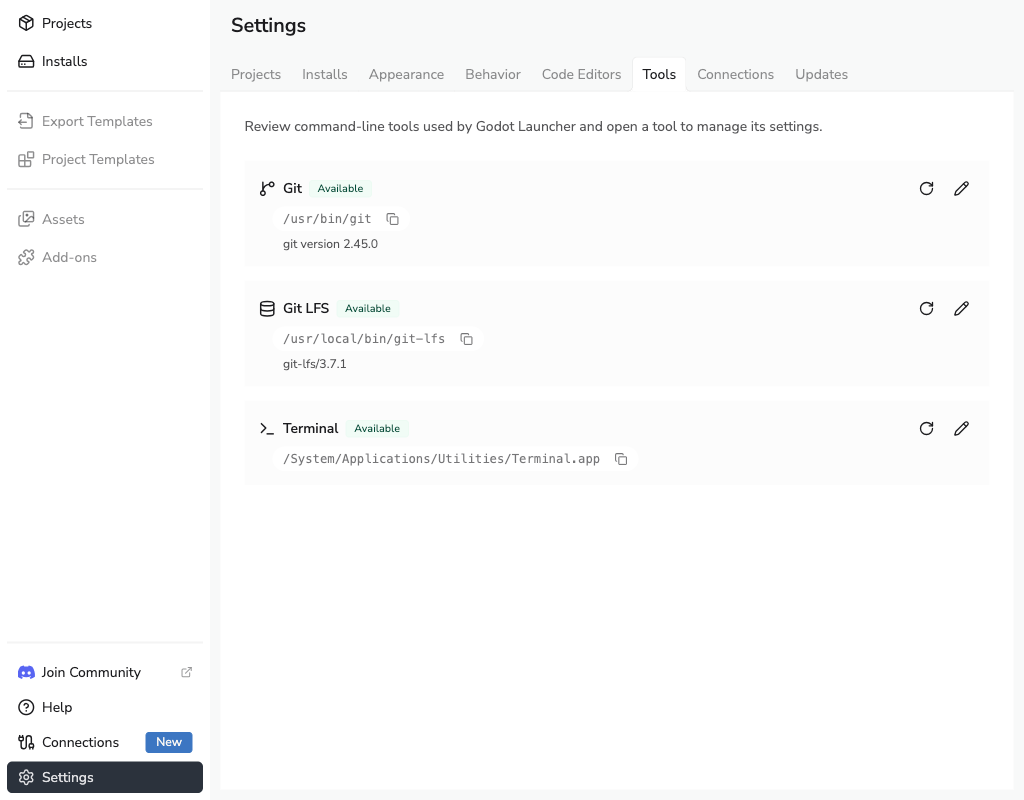
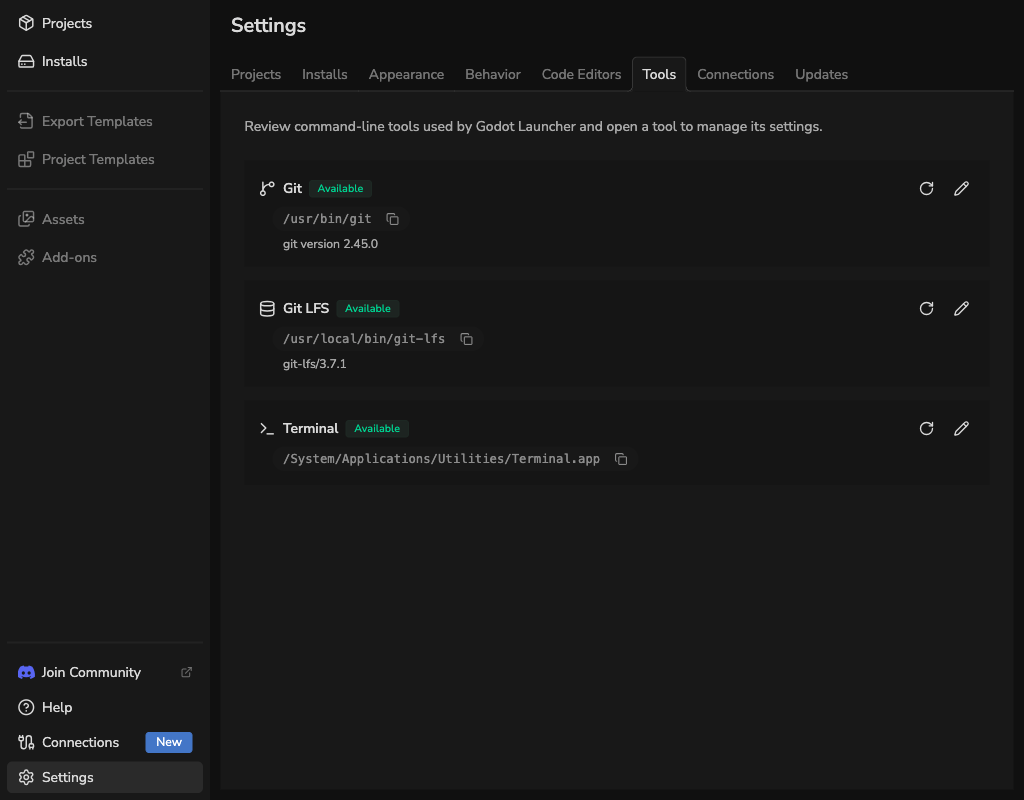
The Tools tab shows the tools used by Godot Launcher. Git and Git LFS each show their availability, validated executable path, and version. Terminal controls which supported terminal opens a project's folder.
Check Git
When the status is Available, Godot Launcher can use the Git installation shown on this page.
When Git is available, Godot Launcher can:
- Initialize Git while creating a project.
- Initialize Git for an existing project from Project Settings.
- Clone a public Git or connected GitHub repository through Add Project.
- Show Git status on project cards.
Godot Launcher does not install Git. See Installing Git to add it.
Check Git LFS
When Git LFS is Available, Godot Launcher can configure it while creating a new Git repository. The Git LFS option remains unavailable until both Git and Git LFS are ready.
Godot Launcher does not install or update Git LFS. Install it through your operating system or from the Git LFS project, then rescan the tools. See Creating a Project for the new-project workflow.
Rescan tools
Select the rescan button beside a tool after you install, move, or update it. The Git and Git LFS drawers show the executable path and version that Godot Launcher validated.
Set up Terminal
Open Terminal from the Tools tab, then enable it to use Open Terminal Here from a project's actions. Select Rescan after installing or changing a supported terminal.
Choose Automatic to let Godot Launcher use a detected terminal, or select a detected terminal by name to use that terminal on this operating system. Your selection is kept separately for each operating system.
Godot Launcher supports these system terminal installations:
- Windows: Windows Terminal and Command Prompt.
- macOS: Terminal.app.
- Linux: GNOME Terminal, Konsole, Foot, Alacritty, Ghostty, and Kitty.
Terminal detection checks a fixed set of supported system locations. Godot Launcher does not support custom terminal commands, custom executable paths, or PowerShell as a separately detected target. Windows Terminal uses its configured default profile.
If Terminal is disabled, enable it in the Terminal drawer before using Open Terminal Here. If no terminal is listed after a rescan, install one of the supported terminals in its system location and rescan again. If a named selection is no longer available, select Automatic or another detected terminal.
If a warning says that saved terminal settings use an unsupported format, select Open terminal settings, then select Reset terminal settings and confirm the reset. This removes saved terminal choices and custom terminal settings for all operating systems, while preserving whether Terminal is enabled and all other tool settings. Godot Launcher then restores Automatic selection.
Manage Git identities
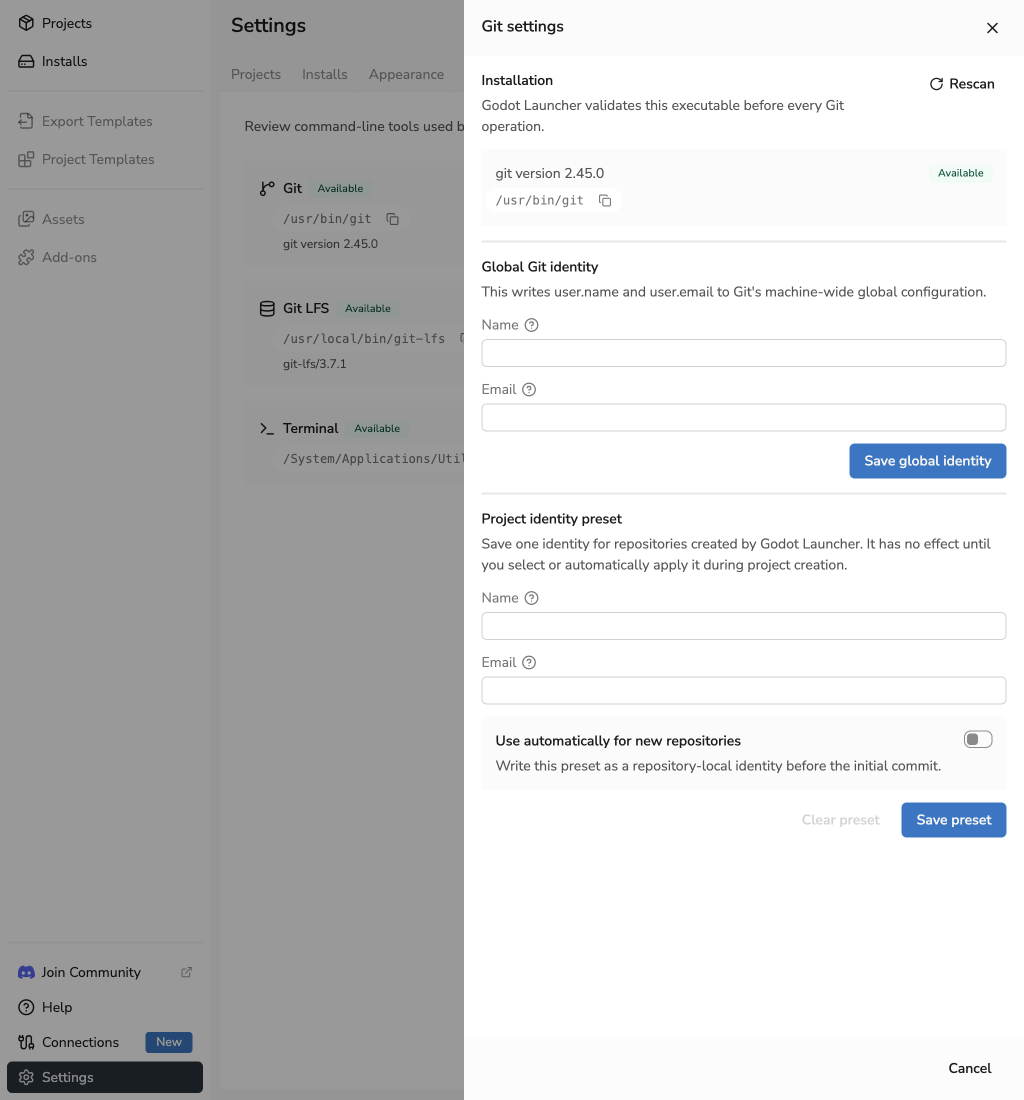
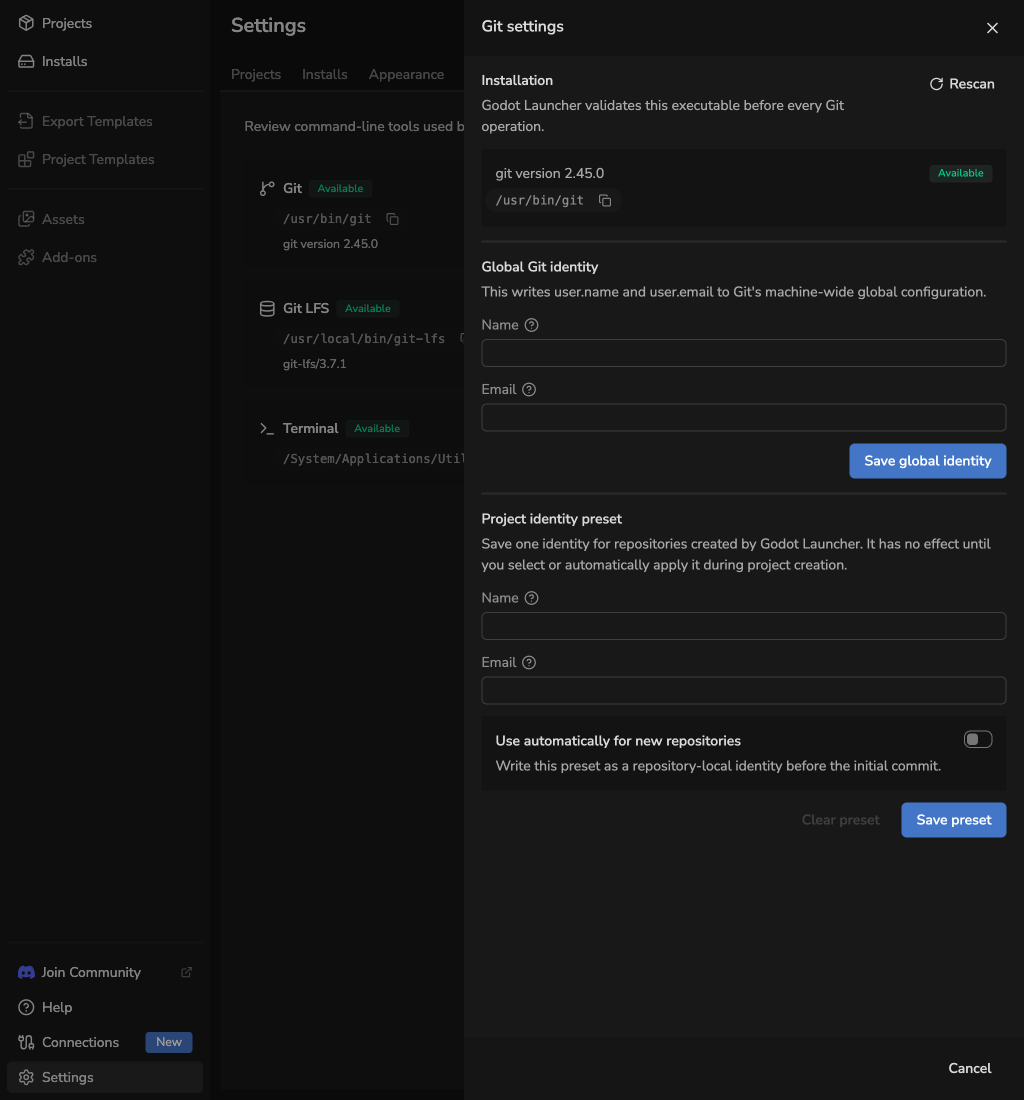
Open Git from the Tools tab to manage two separate identity sources:
- Global Git identity writes
user.nameanduser.emailto Git's global configuration. Git uses these values when a repository has no local override. - Project identity preset is saved by Godot Launcher. It does not change Git on its own. The launcher can suggest it during project creation or apply it as a repository-local identity before the first commit.
Enable Use automatically for new repositories if every new repository created by Godot Launcher should receive the preset without another identity prompt. Leave it disabled to review the preset whenever you create a project.
You can edit the preset even when Git is unavailable. Global identity controls remain unavailable until Godot Launcher can validate Git again.
Code editor detection is managed separately. Use Code Editor Settings to rescan Visual Studio Code or VSCodium and configure custom executable paths.
If Git remains unavailable, see Troubleshooting.