Troubleshooting
Find the problem that matches what you see, try the listed actions, then follow the linked guide when you need more detail.
Installation and startup
Windows blocks or warns about the installer
Download the installer from the official Godot Launcher download page. To check its signature:
- Right-click the downloaded
.exeand choose Properties. - Open Digital Signatures.
- Select the signature and confirm that Windows reports it as valid.
For winget installation and upgrade problems, see Installing Godot Launcher with winget.
Linux package or startup problems
- If a
.debinstallation reports missing dependencies, runsudo apt --fix-broken install. - If an AppImage does not start, confirm that FUSE is available and that the file is executable.
- If the error mentions
chrome-sandboxor the Chromium sandbox, see Running Godot Launcher in No-Sandbox Mode on Linux.
See Installation for the normal steps for each platform.
Godot editor installation and availability
The editor list cannot refresh
If a saved editor list is available, you can continue using it. Wait a few minutes, check your connection, then select Refresh again.
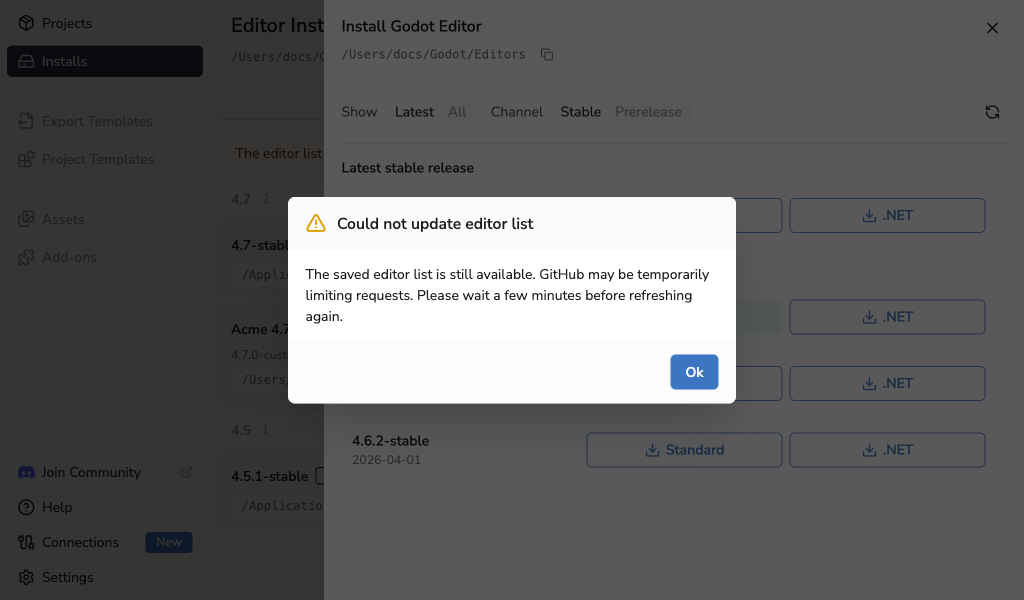
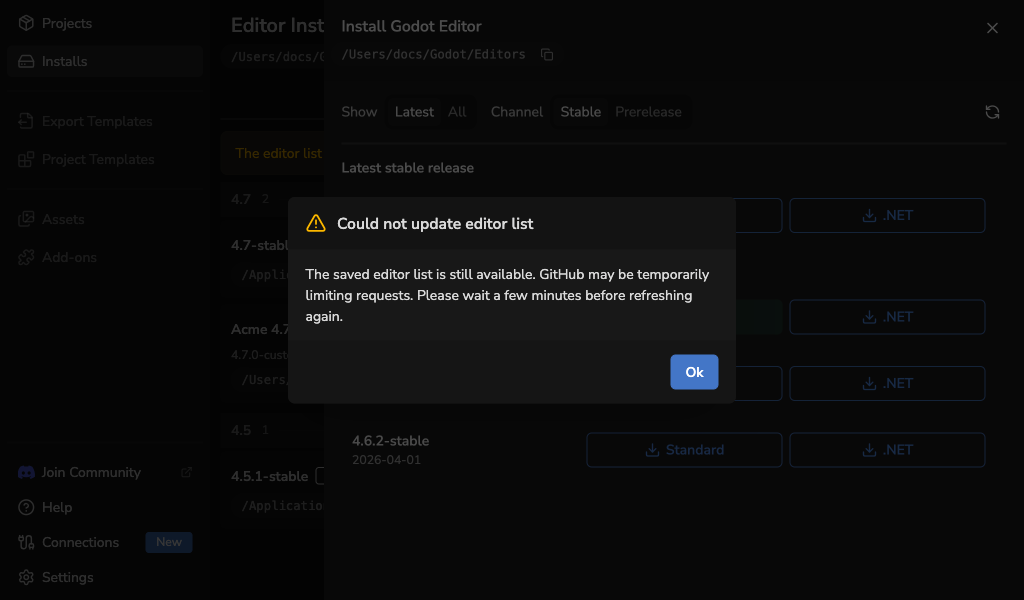
If no saved list is available, the launcher needs a working connection before it can show official releases.
An editor download fails
Check your connection and select the same Standard or .NET action again. If GitHub is limiting requests or temporarily unavailable, wait a few minutes before retrying.
An editor archive cannot be verified
Godot Launcher verifies official editor archives before extracting them. If the checksum information is unavailable or the downloaded file does not match, the installation stops and partial files are removed.
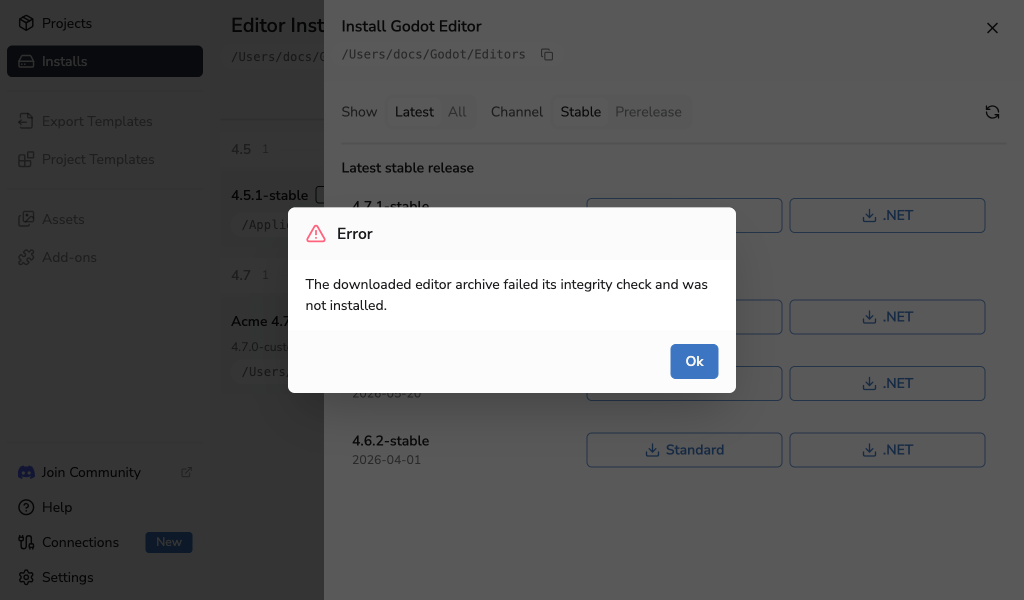
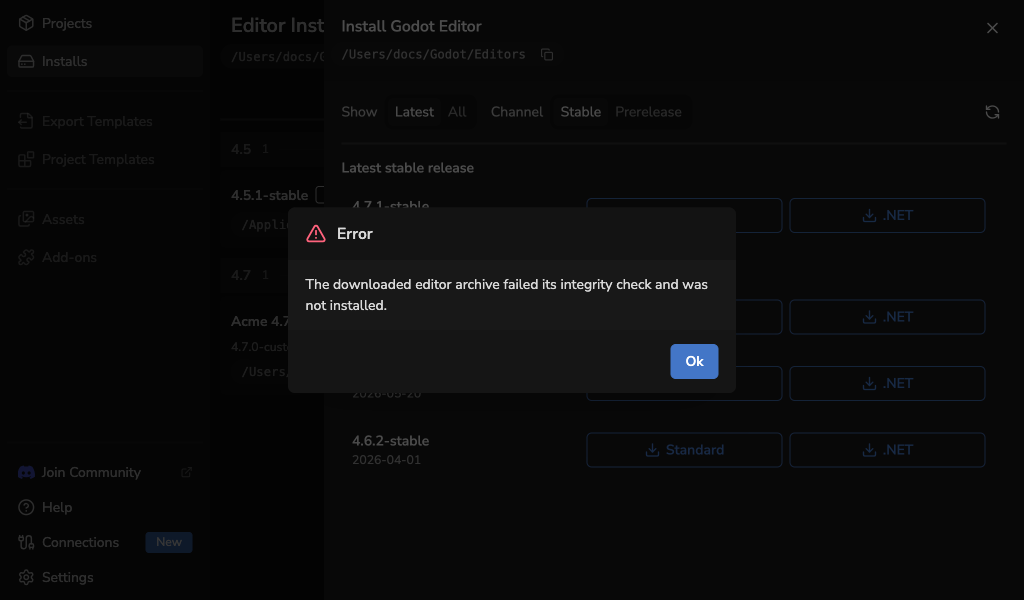
- Check your connection and select Refresh in the Install Editor drawer.
- Select the same Standard or .NET action again.
- If the error continues, update Godot Launcher to the latest release and try again later.
Do not extract or register the failed download manually. If the same official release continues to fail, include the release version and Godot Launcher logs when reporting the problem. Before sharing logs, remove project names, local paths, usernames, and other personal information. Never share passwords, access tokens, or other credentials.
An editor archive or installed executable is rejected
The launcher stops an installation when the archive cannot be extracted safely or the resulting editor executable is not valid inside its managed install directory. Partial installation files are removed automatically.
Retry the installation once. If the same official release fails again, report the release version, operating system, architecture, and Godot Launcher logs. Before sharing logs, remove project names, local paths, usernames, and other personal information. Never share passwords, access tokens, or other credentials. Use a different verified release until the problem is resolved.
An installed editor is unavailable
Open Installs and use the action that matches the problem:
- Retry checks the saved location again after you restore or reconnect it.
- Reinstall downloads an official release again.
- Remove removes an unavailable entry from the launcher.
Removing a custom editor registration does not delete its files. See Installing a Godot Editor or Custom-Built Godot Editors for more detail.
Project editor selection
An added project needs a Godot editor
When the project has no saved editor metadata, Godot Launcher reads its major.minor version from project.godot and checks for C# project files to choose the Standard or .NET flavour. If it can identify the version, it lists matching official stable editors that are installed or available to download for your platform and recommends the newest. If no stable option is available, it lists only the newest matching prerelease. Matching registered custom editors appear below a divider after the official options.
Choose an installed editor to use it immediately, or choose a downloadable editor to add the project first and download the editor in the background. If the download fails, the project retains the exact editor you selected and stays marked as missing its editor until you retry or repair the installation.
When a project includes .godotlauncher, its requested editor remains selected unless you explicitly choose a different available editor. You can also choose Add With Missing Editor or Cancel. Adding with a missing editor does not change project.godot.
For an editor that is not installed, the available actions are:
- Download an available official editor.
- Use an available installed editor.
- Add the project with a missing editor.
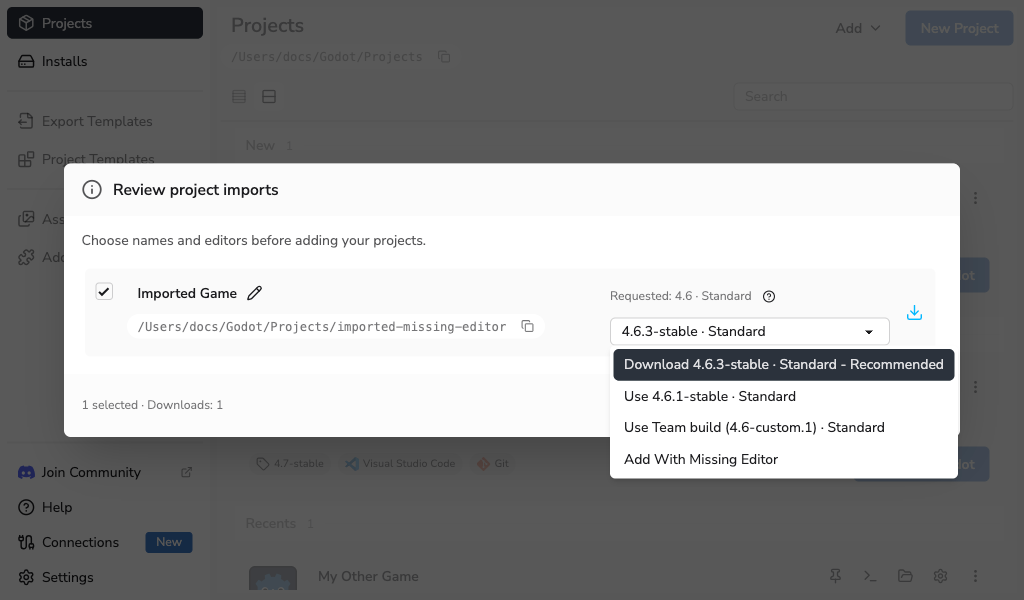
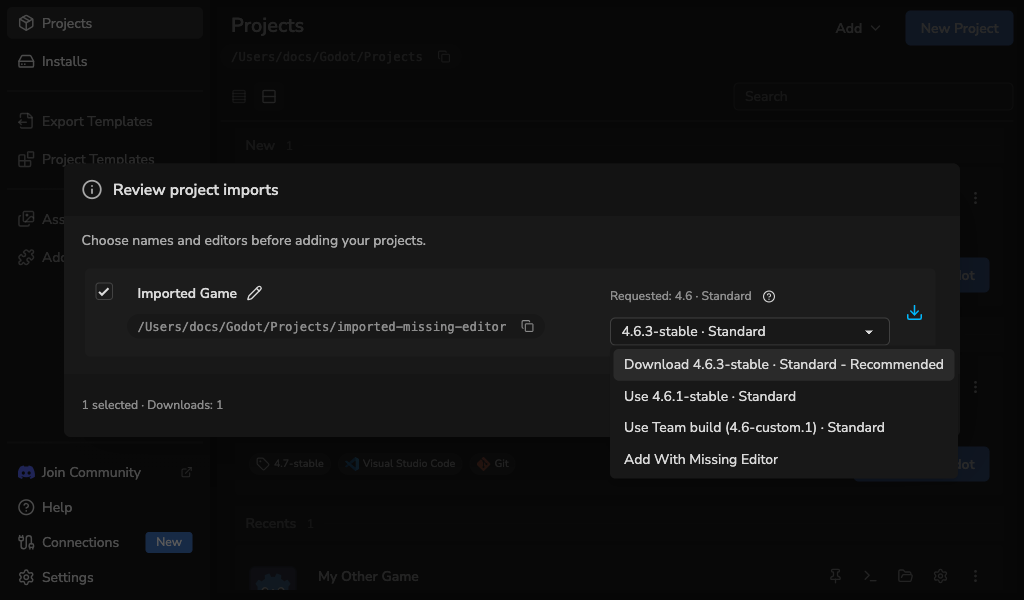
If you add the project without an editor, Edit in Godot remains unavailable until you install, register, or choose a compatible editor.
A project card shows an editor warning
- If the Godot editor is missing, reconnect its location, reinstall it, or choose another editor from the same major version in Project Settings.
- If
project.godotis missing, restore the project folder or remove the entry and add the project again from its current location. - If the project needs a custom build, restore that build or register its replacement.
Godot Launcher does not open a project with a different major Godot version. Follow the official Godot upgrading guide before changing major versions.
Code editors
Visual Studio Code or VSCodium is not found
- Confirm that the code editor is installed.
- Open Settings > Code Editors and select Rescan on its card.
- If it is installed outside the usual locations, select Edit and choose its executable or application bundle.
- Keep the editor enabled if you want to choose it for new projects.
A selected code editor is unavailable when opening a project
Godot can still open the project. Choose the result you want:
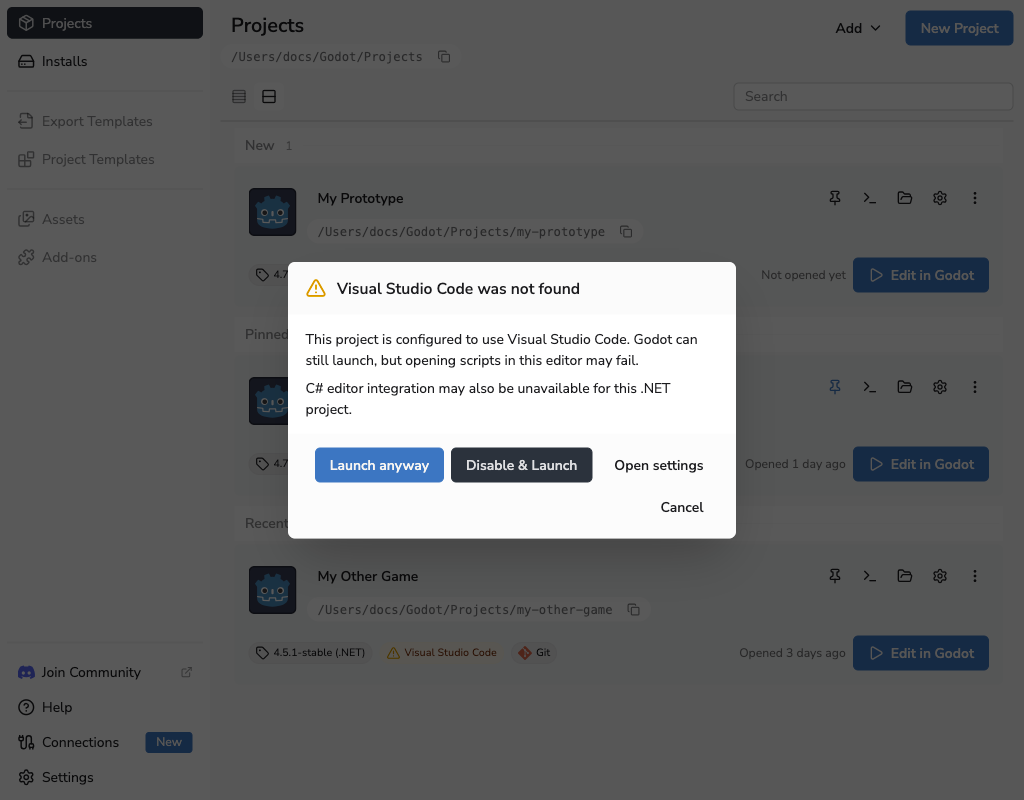
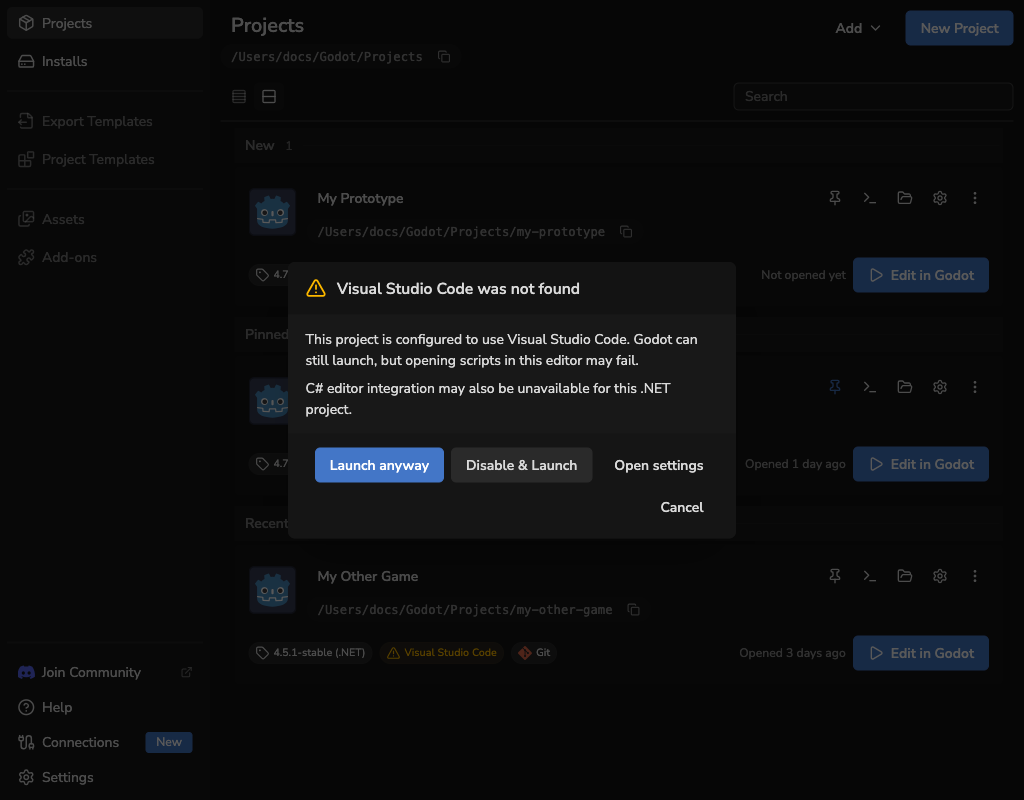
- Launch anyway opens Godot without changing the project.
- Disable & Launch stops using this code editor for the project, then opens Godot.
- Open settings lets you find the editor again or choose its location.
Godot does not open scripts in the selected code editor
Open Project Settings > Code Editor and select Reset config. This restores the project's code editor setup without changing the global Code Editor Settings.
If the launcher cannot read a managed .vscode file, it keeps the original as a timestamped .bad copy and creates a valid replacement. The warning lists the recovered files so you can compare or restore your custom content.
See Visual Studio Code Setup or VSCodium Setup for the files each editor uses.
Git
Git is not found
Install Git, then open Settings > Tools and select Rescan tools. See Installing Git for the normal setup.
Git needs a name and email
The first commit for a new project needs an author identity. Choose:
- Add Git identity to enter the missing values. Save them for this project only or for all repositories on the computer.
- Skip initial commit to create the project and repository without the first commit.
You can create the first commit later after configuring Git. See Using Git With Godot Launcher for the files prepared by the launcher.
A new project is inside another Git repository
Before creating the project, the launcher identifies the parent repository and asks whether you want to continue. If you continue, it creates the project without initialising another repository, changing Git LFS settings in the parent, or publishing to GitHub. The final message lists the actions that were skipped.
Cancel the warning and choose a location outside the parent repository if you want the launcher to create and publish a standalone repository. See Create Your First Project for the warning and completion states.
GitHub publishing is unavailable
- Confirm that Initialize Git Repository is enabled and that Git is available in Settings > Tools.
- Use the connection action in the project form to connect GitHub, reconnect an unavailable installation, or approve updated publishing permissions without losing the form. You can also manage connections in Settings > Connections.
- Complete the Git identity when the launcher asks. Publishing needs the initial commit and cannot continue after Skip initial commit.
- If Git LFS is selected, confirm that Git LFS remains available.
You can turn off Publish to GitHub and create the project locally while resolving a connection or permission problem.
A project was created locally but GitHub publishing failed
The local project is complete and safe. Use the recovery dialog to correct the owner or repository name and retry, or select Continue locally.
After an ambiguous network failure, use Check and retry. The launcher checks the exact intended repository before it makes another creation request. It may ask whether to use an exact empty repository that GitHub already created. The launcher never deletes that remote automatically.
See Publish a new project to GitHub for the complete workflow.
Linux credential storage and GitHub connections
Secure storage is unavailable
Open Settings > Connections, expand Credential storage, and check the storage status. If you selected Secret Service, start or unlock a compatible Secret Service keyring in your desktop session. Choosing Secret Service does not install or unlock a keyring. Then fully quit Godot Launcher, including its system tray process, and open it again.
If secure storage remains unavailable, the launcher cannot save a new GitHub connection. Restore the keyring before connecting. Existing connection details are kept when you change the storage choice. If a saved connection needs to be authorised again after restarting, select Reconnect and complete the browser flow.
Saving the choice fails
The previous saved choice remains unchanged. Select the choice again and retry Save choice. Restarting will not apply a choice that could not be saved.
The saved choice does not take effect
The saved choice applies at the next full launch. Select Restart now after saving, or quit the launcher completely and reopen it. If restarting from the launcher fails, your choice is already saved; use the same manual restart.
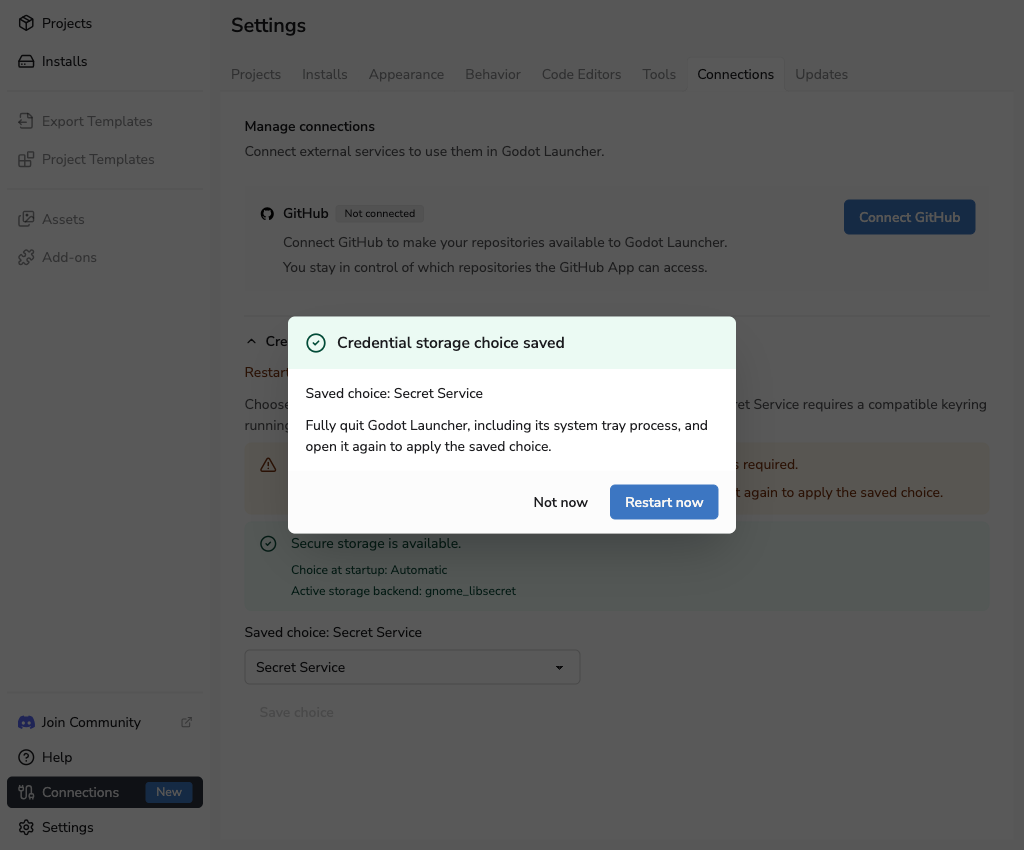
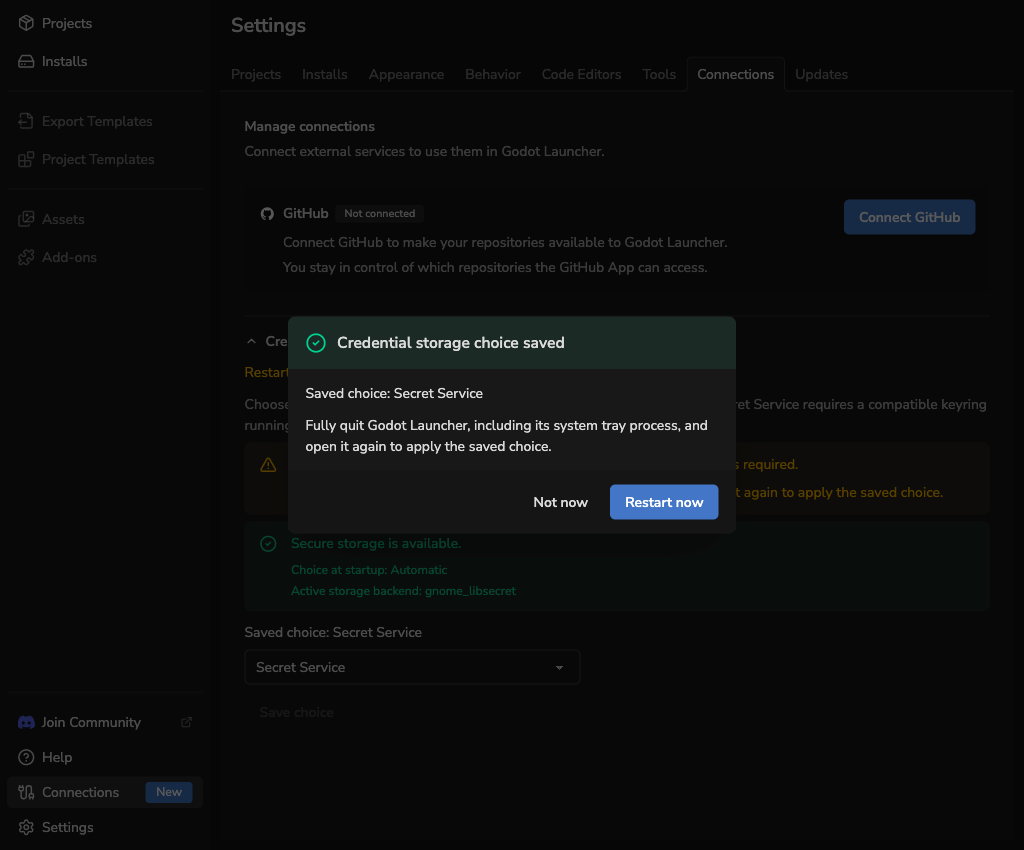
An explicit credential-storage launch flag takes precedence for the current session. Remove that flag and restart the launcher to use the saved choice.
Repository import
Remote import choices are disabled
Open Settings > Tools and confirm that Git is available. The local file option remains available while the launcher checks Git or when Git cannot be found.
No GitHub repositories are available
Select Manage accounts and access beneath the repository list. Connect or reconnect an account, or use Manage repository access to allow the GitHub App to access the repository. Return to the launcher and refresh the list. The connection flow keeps you in the import task. You can also manage connections in Settings > Connections.
The clone destination is rejected
Choose a parent folder that the launcher can create or write to, and use a project folder name that does not already exist. The launcher does not overwrite an existing destination.
Submodule initialisation stops
The launcher initialises only anonymous public submodules declared with absolute HTTPS URLs. It stops before requesting a private, credentialed, relative, redirected, non-HTTPS, or private-network source.
Review the activity list to find the submodule where initialisation stopped. You can retry, continue without the remaining submodules, or close the modal and finish the partially initialised clone with Git. The launcher does not remove submodules that completed before the failure.
If you continue without submodules, projects or GDExtension files stored inside them may be unavailable. See Import a Git Repository for the supported workflow.
No Godot projects were found
Open the retained clone and confirm that it contains a regular project.godot file. The launcher skips symlinks, generated and dependency folders, malformed files, and repositories beyond its safe scan limits. If the project is inside a submodule, initialise the supported submodules before continuing to project review.
Select Delete clone and close if you do not need the retained repository and no project from it was added. If deletion fails, close applications using the folder and try again. The launcher refuses deletion if the destination has been replaced since the import.
Only some projects were added
Review the result shown for each project. For a conflicting name, return to the review and choose another name shown in Godot Launcher, or skip that project. A project whose folder is already registered must be skipped. The review does not rename project.godot or its folder.
Select Review and retry to try failed projects again. Projects that were added successfully remain added. When at least one project was added, the launcher keeps the clone because the registered project depends on that folder.
See Import a Git Repository for the complete workflow.
System tray
System tray support varies across Linux desktops. When the launcher cannot use the tray:
- Closing the main window quits the launcher instead of hiding it.
- Close to system tray leaves the window visible after opening a project.
- A request to start hidden opens a normal window.
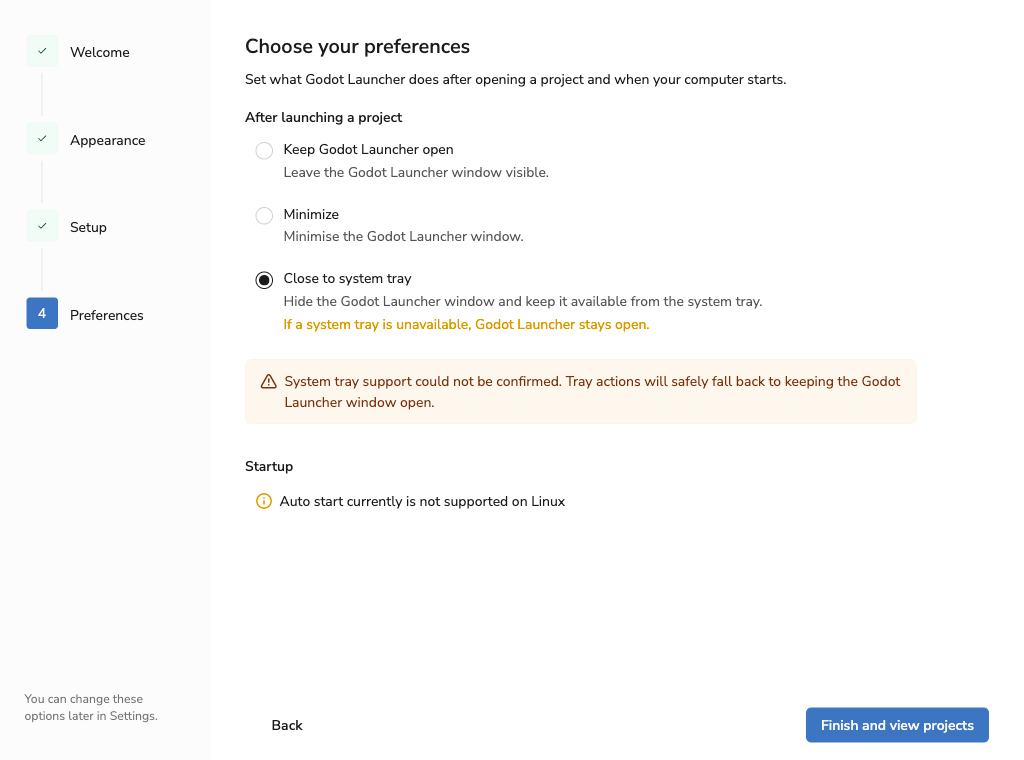
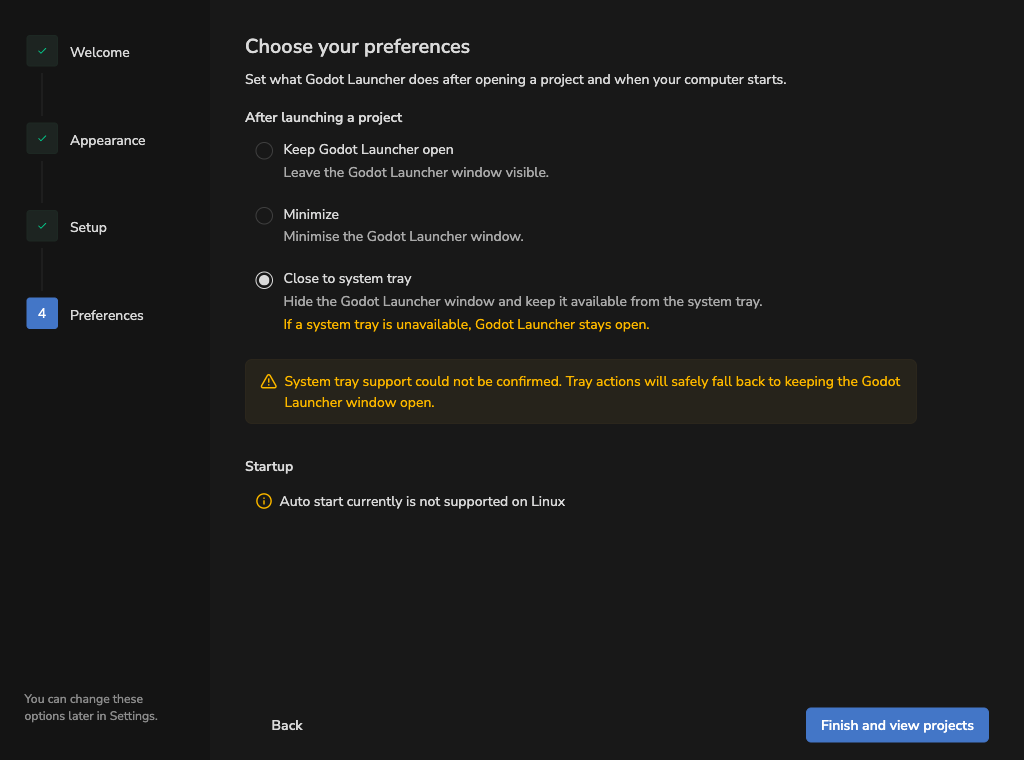
The saved preference does not change. The launcher can use it again when a tray becomes available. See System Tray for normal tray behavior.
Updates and platform options
- For launcher update download or retry problems, see Manage Godot Launcher Updates.
- For manual updates on rpm-ostree systems, see Manage Godot Launcher Updates.
- For Windows editor link or UAC problems, see Godot Launcher Symlink Support on Windows.
- For winget package problems, see Installing Godot Launcher with winget.
Still need help?
- Visit Help & Support for official links.
- Join the community Discord to ask questions and share context.
- Open a GitHub issue from the launcher project if you have a reproducible bug.